Update Your Password on The Source
Posted on: September 30, 2021
Summary: Families will need to update their Source password by November to help increase security.

Source Password Change for Families
For increased security, the number of characters required for your Source password is changing from 8 to 12 which will require you to change your password if it is less than 12 characters. This change is only for parents and guardians; students will not need to change their password.
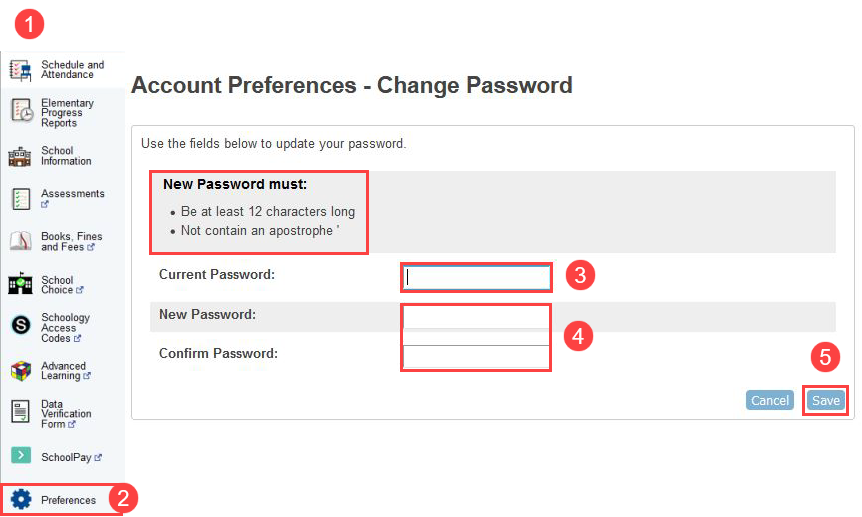
Please follow these steps to create a new password:
- Log in to your Source account.
- Click Preferences in the left-hand menu.
- Enter your Current Password.
- Enter a New Password and then enter it again to Confirm. Your password must be 12 or more characters, with no apostrophes.
- Click Save.